Go Attend
- 0.0
- Rating
- 10.00K
- Installs
- Free
- Price

 Analysis by App-foxy
I approached Go Attend as an event companion rather than as a general-purpose social app, and that distinction matters. Its role is to help people stay connected to a particular event through their phone, not to replace every planning, messaging, ticketing, or networking tool they already use. That focused purpose gives it a clear place in an event day, although it also means the experience depends heavily on how thoughtfully each event has been set up.
The app is developed by Swoogo and sits in the Events category. It is free to use, carries an Everyone age rating, and runs on Android devices using Android 7.0 or later. The current release is version 1.13.0, while the app has been available since September 9, 2025. Those details make it approachable for a broad audience, especially attendees who do not want to pay for a separate event tool or replace an older phone simply to access the event experience.
What Go Attend does well during a real event
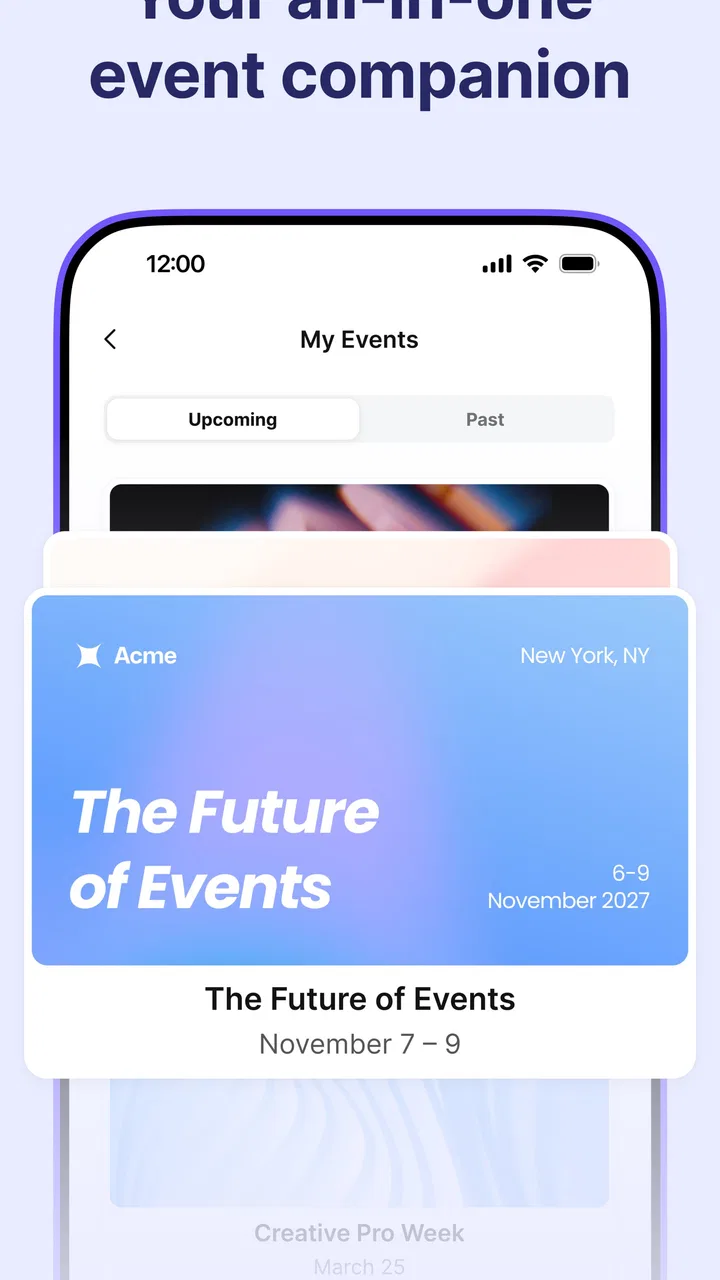
The strongest idea here is concentration. When an event has many moving parts, people usually end up switching between email, a browser, a calendar, paper notes, and group chats. A dedicated event app can reduce that scattered feeling by giving the occasion its own mobile space. In my view, that is the main reason to install Go Attend: it is intended to keep event-related information together while you are already on the move.
You May Also Like

 Blood Strike: 2.5 Anniversary
Blood Strike’s Loadouts Turn Every Drop Into a Tactical Gamble
A close look at Blood Strike’s custom loadouts: how fast access to signature weapons reshapes its battle royale rhythm, rewards preparation, and narrows the gap between fights.

 Pandora - Music & Podcasts
Pandora’s Music Is Easy to Start, but Harder to Recover
Pandora’s strength is its low-effort path from a seed to a station. Its weak spot is how much confidence it asks you to place in connection, setup, and quiet recovery.

 8 Ball Pool
 Is Built on Rivalries, Rematches, and Routine
A close look at the rivalries, rematches, shared routines, and unanswered safety questions that turn a quick pool match into a persistent mobile community.

 Samsung Music
’s Quiet Strength Is Playing What You Already Own
Its reach comes less from spectacle than from dependable access to a personal library. That simplicity is both the app’s strongest retention engine and its ceiling.

 AccuWeather: Weather Radar
AccuWeather Review: A Quick, Clear Forecast for Everyday Decisions
For everyday plans, the best forecast is the one you can understand quickly. AccuWeather makes rain timing, radar, and local conditions easy to act on, with a few trade-offs.

 Hill Climb Racing
Why Hill Climb Racing Still Turns Crashes Into One More Run
A tiny car, a bumpy hill and one more upgrade: Hill Climb Racing keeps resurfacing because its simple chaos makes every near-miss feel personal.
More From Our News Desk
View All News


Imagine arriving at a professional conference after a busy commute. You may need to check what is happening next, orient yourself around the event, and keep track of the parts that matter to you without searching through a crowded inbox. A purpose-built companion is more practical in that situation than repeatedly opening an email thread or relying on a generic messaging group. The benefit is not flashy; it is the reduction of small interruptions that can make an event feel disorganized.
That focus also makes the app easier to understand than a broad community platform. You are not joining another permanent social network with an endless stream of unrelated posts. You are entering an event-specific environment. For attendees, that can feel cleaner and less distracting, particularly when the event is short and the useful information changes quickly.
One of the more important practical points is to treat the app as part of the event’s preparation, not merely as something to download at the entrance. I would install it before leaving home, open the relevant event area, and check that I can reach the information I expect while I still have time to troubleshoot. This is a small habit, but it prevents the common mistake of waiting until a crowded venue, poor reception, or a busy registration desk creates pressure.
I would also use it as a personal filter rather than trying to follow every part of an event. If the event offers a large programme, I would decide in advance which sessions, activities, or contacts deserve attention and use the app to support that plan. A digital companion is most useful when it helps me make choices; it is less useful when I simply browse everything and end up with more information than I can act on.
Another less obvious strength is the separation between event information and ordinary phone clutter. A calendar entry may tell me that something starts at a certain time, but it does not necessarily provide the surrounding context. Email can contain the details, but finding the right message during a busy day is slower than using a dedicated event space. Go Attend’s value is therefore situational: it can serve as a quick reference point when the event itself is the thing I am trying to manage.
That makes it especially suitable for conferences, exhibitions, training days, community gatherings, and other occasions where attendees need more than a single ticket or confirmation message. The app’s category is a good description of its purpose. It is not trying to be a general productivity suite, and I would not judge it by the standards of one.
The free price is another practical advantage. An attendee can try it without adding a purchase decision to an already busy registration process. For organizers, that also removes one obvious barrier for guests who are reluctant to install an app that asks for payment before they know whether it will be useful. The Everyone rating reinforces the impression that it is designed for a wide audience rather than a narrowly defined age group.
At the same time, I would not interpret the free download as a promise that every event will offer the same depth of content. The usefulness of an event companion is shaped by the event itself. If the organizer has prepared a rich, current experience, the app can become a central reference point. If the event provides only limited material through it, the app may feel more like an additional doorway than a complete solution. That is not a reason to dismiss it, but it is an important expectation to set.
The workflow I would recommend
My preferred workflow starts before the event. I would install Go Attend, open it once, and make sure I understand how my event is represented inside the app. I would then note the information I will need most often: the next activity, the parts of the agenda I care about, and any event-specific details that would be inconvenient to search for later.
On arrival, I would avoid spending the first few minutes exploring every available area. Instead, I would use the app to answer one immediate question: what do I need to do next? That approach keeps the phone in a supporting role. It is tempting for event apps to become another source of screen time, but the best use is often a quick check followed by returning attention to the people and activities around me.
During the event, I would revisit the app at natural transition points rather than constantly refreshing it. Moving between sessions, taking a break, or preparing to leave are sensible moments. This creates a simple rhythm and reduces the chance that the digital layer distracts from the event’s real purpose.
Afterward, I would keep the app only if the event remains relevant or if I expect to attend another occasion that uses it. This is not an app I would install casually and leave among dozens of permanent daily tools. Its value is tied to the event cycle, so a tidy approach is to treat it as a temporary specialist rather than a year-round companion.
Where the experience can feel limited
The biggest weakness is also connected to its biggest strength: Go Attend is event-focused. If I want a complete personal organizer, a long-term networking community, or a universal calendar, I would choose a different tool. A calendar app is better for combining work, family, travel, and appointments. Email remains better for formal records and detailed correspondence. A group chat may be better for spontaneous conversation among a small circle.
There is also a learning curve whenever an event app introduces its own way of organizing information. Even a simple interface can feel unfamiliar when I am already trying to find a room, meet someone, or arrive on time. The app therefore needs to earn its place quickly. If I have to search through several layers for basic event information, the convenience advantage over email or a mobile website becomes much smaller.
Another trade-off is dependence on event preparation. A dedicated app cannot manufacture useful event content on its own. The attendee experience is only as coherent as the information made available for that particular occasion. I would therefore avoid assuming that installing Go Attend automatically means I have one complete source of truth for everything happening around the event. I would still keep essential confirmations or travel details accessible elsewhere until I have checked how the event uses the app.
That point matters for people who prefer minimal installations. If I am attending a small gathering with one location, a short agenda, and a single confirmation email, Go Attend may add little. In that case, the ordinary tools already on my phone could be faster. The app makes more sense when the event has enough information, movement, or structure to justify a dedicated companion.
I would also be cautious about using it as my only plan for a demanding day. My practical approach would be to keep the most important time and location details available in a familiar backup, such as a calendar entry or saved message. This is not because the app is unsuitable; it is because event days are unpredictable, and relying on one digital route for every detail can create unnecessary stress if circumstances change.
The rating shown for the app is currently 0.0, while the install count is already above ten thousand. I would read those figures carefully rather than treating either one as a final verdict. The install figure suggests that the app has reached a meaningful audience, but a displayed average of 0.0 does not give me useful evidence about day-to-day quality. In practical terms, I would judge it by whether the specific event I am attending has made good use of it.
That is a particularly important distinction for event software. A general consumer app can often be assessed from its permanent feature set. An event companion is more variable because the content and usefulness can change from one event to another. Two attendees may install the same app and have noticeably different experiences simply because they are attending different events.
Who should install it, and who should skip it?
I think Go Attend is a good fit for people attending structured events where information changes throughout the day or where several activities compete for attention. Conference visitors, exhibition attendees, training participants, and guests at organized gatherings are the most obvious candidates. It is also a sensible option for anyone who dislikes digging through email while walking between rooms or trying to remember which event message contained a particular detail.
It may be especially helpful for first-time attendees. When I do not know the venue or the rhythm of an event, having a dedicated place to orient myself can reduce the feeling of being behind. I can prepare a simple plan, check it during transitions, and adjust without carrying printed papers or opening multiple unrelated apps.
People who should skip it are those attending a very small, informal event where the organizer has already communicated everything clearly through a message or calendar invitation. I would also skip it if I needed a robust task manager, a universal appointment system, or an ongoing social network. Those are different jobs, and using Go Attend for them would create frustration.
For organizers’ guests, the most important question is not whether the app is universally essential. It is whether the event itself relies on it. If the invitation or event instructions point attendees toward Go Attend, installing it is likely worthwhile because that is where the event experience is intended to live. If the event barely references it and offers a complete alternative, I would choose whichever method feels quicker and more reliable for that occasion.
How it compares with familiar alternatives
Compared with a mobile website, a dedicated app can feel more natural during a full event because the experience is separated from ordinary browsing. A website may be perfectly adequate for checking one page, especially for a small event, but it can be less convenient when I need to return repeatedly throughout the day. Go Attend has the advantage of being positioned as the event’s companion rather than one more browser tab.
Compared with email, the app offers a more focused context. Email is excellent for confirmations, receipts, formal instructions, and messages that I may need to retain. It is not always the fastest place to find changing event information while I am moving around. I would use email for the record and Go Attend for the active event experience when the occasion supports it.
Compared with a calendar, the difference is even clearer. A calendar is better for protecting my time and remembering when something begins. It is not designed to represent the full texture of an event. I would use both when appropriate: the calendar for the commitment, and the event app for the details surrounding it.
Compared with a group chat, Go Attend should feel more structured. Chats are excellent for quick questions and informal coordination, but important information can disappear under a stream of replies. An event-specific app is a better fit when I need an organized reference point. The chat remains more useful for personal conversation, last-minute meetups, or a small group making spontaneous plans.
This comparison leads to my central judgement: Go Attend is not a universal replacement for the tools people already use. It is a specialist layer that can make a well-organized event easier to navigate. Its success depends less on offering everything and more on doing this one job without adding friction.
My final recommendation
After considering how I would use it, I see Go Attend as a practical event companion with a clear audience rather than an app everyone needs permanently. Its free access, broad age rating, support for Android 7.0 and later, and event-specific focus make it easy to consider when an organizer directs guests to it. The current version, 1.13.0, also gives users a straightforward starting point without requiring a paid commitment.
I would recommend installing it before a structured event, exploring only the information relevant to my day, and keeping a simple backup for essential timing or travel details. That combination gets the convenience of a dedicated event space without making the phone the sole source of truth.
My verdict is positive but conditional: Go Attend is worthwhile when the event has genuinely been built around it. It can reduce scattered information and make a busy day easier to follow. It is not the right choice for a tiny gathering, a general calendar need, or anyone looking for a permanent social platform. If your upcoming event uses Swoogo’s companion experience, I would give it a try; just judge it by how well it serves that specific occasion, not by expecting it to replace every other app on your phone.
FAQs for Go Attend
01What is Swoogo: Go Attend used for?
Swoogo: Go Attend is a comprehensive event management app designed to streamline the experience for both event organizers and attendees. It offers features such as event scheduling, attendee tracking, and real-time updates. The app is ideal for conferences, trade shows, and corporate events, providing a seamless way to manage logistics and enhance attendee engagement.
02Is Swoogo: Go Attend available for both Android and iOS?
Yes, Swoogo: Go Attend is available for download on both Android and iOS platforms. This ensures that users can access the app regardless of their device preference, allowing for a diverse audience to participate and engage with events using their smartphones or tablets.
03How user-friendly is the Swoogo: Go Attend interface?
The app features an intuitive and user-friendly interface, making it accessible to users with varying levels of tech proficiency. The navigation is straightforward, with clear instructions and easy-to-access features. This simplicity helps users quickly familiarize themselves with the app, ensuring a smooth event experience.
04Does Swoogo: Go Attend offer integration with other tools?
Yes, Swoogo: Go Attend offers integration with various third-party tools and platforms. This includes CRM systems, marketing automation tools, and social media platforms. These integrations help streamline data management, enhance marketing efforts, and improve overall event efficiency by connecting seamlessly with existing systems.
05What are the key benefits of using Swoogo: Go Attend for event management?
Swoogo: Go Attend provides several benefits, including efficient event registration, real-time analytics, and enhanced attendee engagement. The app allows organizers to easily manage event logistics and track attendee participation. Additionally, it offers customizable features to tailor the app to specific event needs, ensuring a personalized experience for all participants.
Pros
- User-friendly interface for easy navigation.
- Quick event check-in with QR code scanning.
- Real-time attendee tracking and updates.
- Customizable event schedules and notifications.
- Seamless integration with other event tools.
Cons
- Limited offline functionality for remote areas.
- Occasional lag in high-traffic events.
- Requires a stable internet connection.
- Some features require paid subscriptions.
- Limited customization for branding options.

Go Attend
Gallery